 -
- 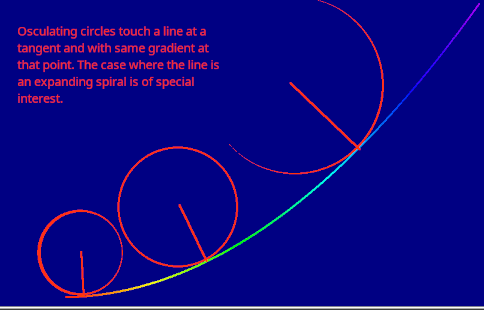
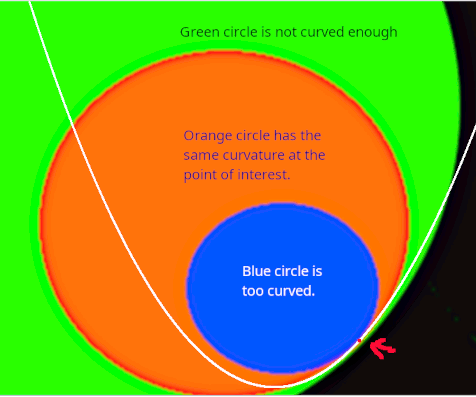
If you think of yourself walking along a line graph- much as in turtle graphics- then 'curvature' is experienced as how quickly your direction changes. At any given point an 'osculating circle' defines the curvature by its radius.
-
The nearer we are to a straight line, the larger this radius is, For a straight line it becomes infinite. So if we take the reciprocal we instead get a number which is zero for a straight line, and increasingly big for rapidly changing lines.
I've had fun drawing graphics involving osculating circles, and also playing with colours code according to radius of curvature or its inverse, the curvature,
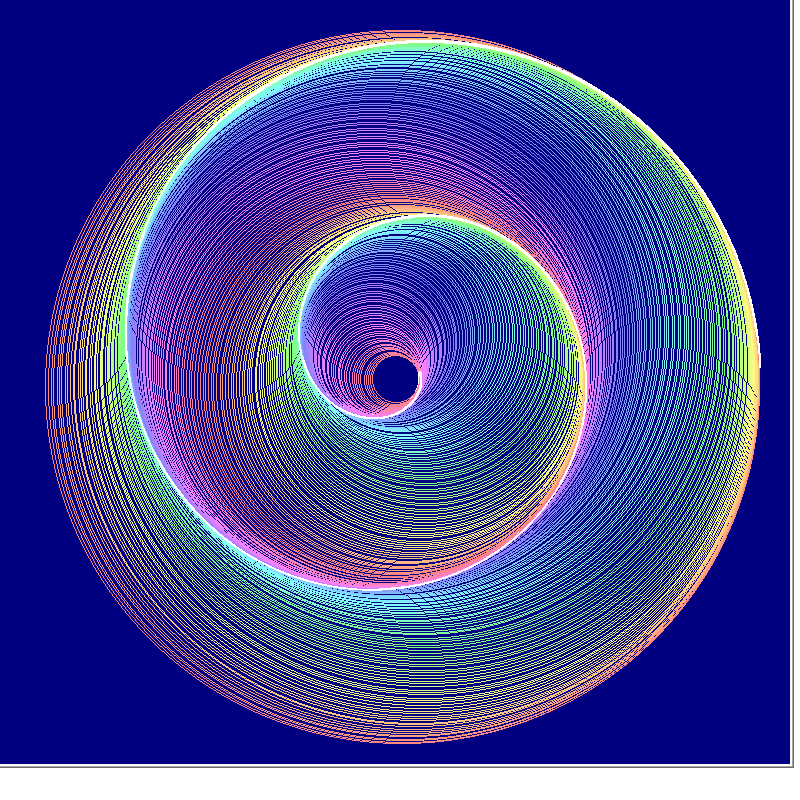
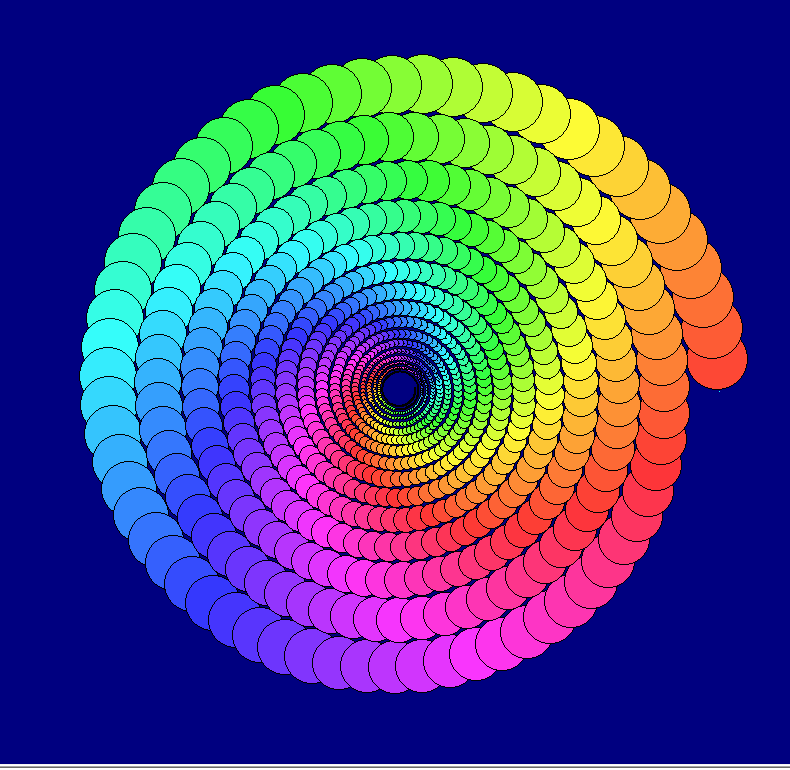
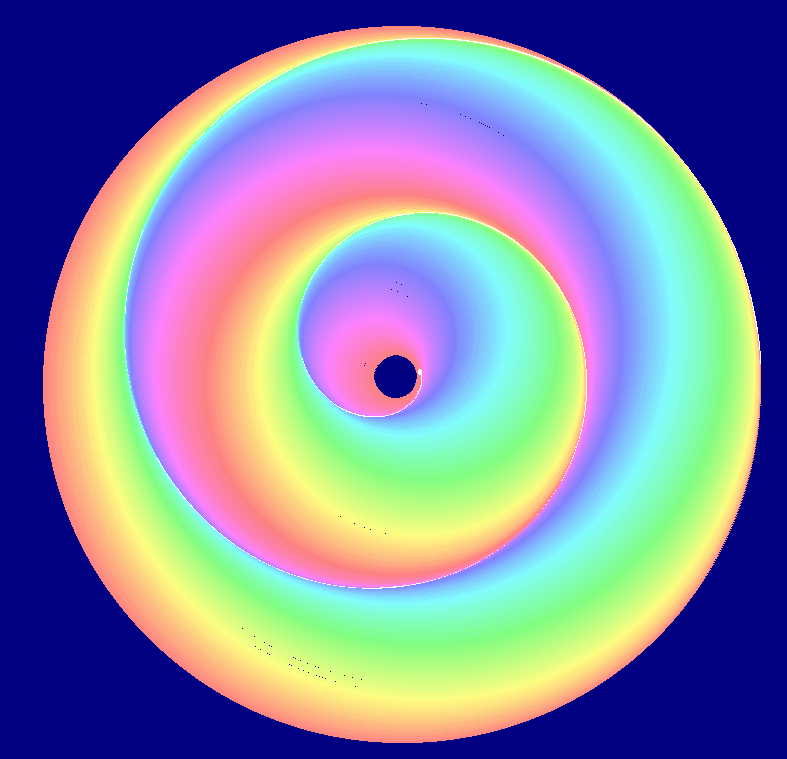
This last one uses colour coding of the curvature, which is also size-coded. Not very successfully!
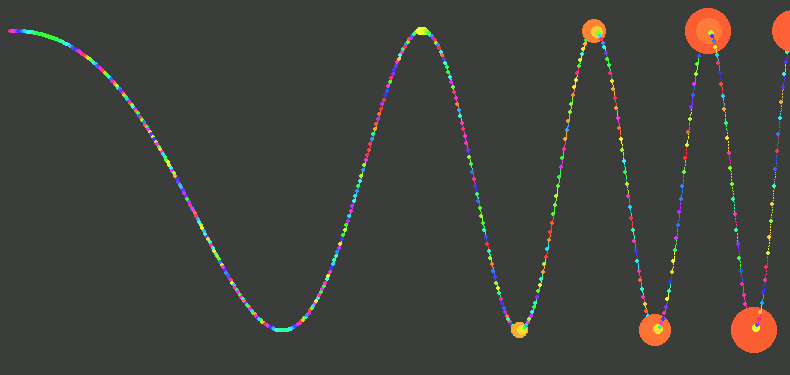
    nomainwin

    WindowWidth  =800
    WindowHeight =800

    pi      =4 *atn( 1)

    radius  =32

    global col$, rd, gn, bu

    graphicbox #w.g1, 1, 1, 800, 800

    open "Kiss me quick" for graphics_nsb as #w

    #w    "trapclose quit"
    #w.g1 "down ; fill darkblue ; color cyan"

    n =0

    for th =0 -0.005 to 32.05 *pi step 0.01
        x           =radius *cos( th)
        y           =radius *sin( th)
        pres$       =str$( x) +" " +str$( y)
        #w.g1 "size 1 ; set "; 400 +10 *x; " "; 390 -10 *y

        if ( th >0) and ( ( n mod 10) =0) then
            print using( "###.##", th); "   "; using( "###.##", x) , using( "###.##", y),
            result$ =smallCircleThru$( lastButOne$, last$, pres$)   '   find oscu. circle centre and radius
            xC      =int( 400 +10 *val( word$( result$, 1, " ")))
            yC      =int( 360 -10 *val( word$( result$, 2, " ")))
            rC      =int(      10 *val( word$( result$, 3, " ")))
            call hsv2rgb 359 *th /6, 0.79, 0.99

            x1      =val( word$( lastButOne$, 1, " ")):   y1  =val( word$( lastButOne$, 2, " "))    '   the three points on curve
            x2      =val( word$( last$      , 1, " ")):   y2  =val( word$( last$,       2, " "))
            x3      =val( word$( pres$,       1, " ")):   y3  =val( word$( pres$,       2, " "))

            gradChord   =( y3 -y1 ) /( x3 -x1)

            angRad      =atn( 1 /gradChord)

            'print using( "###.##", gradChord); "   "; using( "###.##", angRad),

            radSmall    =rC /10
            xSmallCirc  =x2 -radSmall *cos( angRad)
            ySmallCirc  =y2 -radSmall *sin( angRad)

            'print using( "###.##",xSmallCirc); "   "; using( "###.##", ySmallCirc); "   "; using( "###.##", radSmall),

            #w.g1 "backcolor "; col$
            #w.g1 "color        black"
            'print "( "; col$; ")"
            '#w.g1 "size 1 ; place "; 400 +10 *xSmallCirc; " "; 360 -10 *ySmallCirc
            #w.g1 "size 1 ; place "; 400 +10 *x; " "; 390 -10 *y
            #w.g1 "size 1 ; circlefilled "; radSmall
        end if

        'print

        lastButOne$ =last$
        last$       =pres$

        radius      =radius *0.9998
        if radius <=0 then exit for
        n           =n +1
        scan
        'timer 100, [drop]
        'wait
      [drop]

    next th

    call saveScreen

    wait

    sub quit h$
        close #h$
        end
    end sub

    function smallCircleThru$( a$, b$, c$)    '   circle through x1,y1  x2,y2  x3,y3
        x1  =val( word$( a$, 1, " ")):   y1  =val( word$( a$, 2, " "))
        x2  =val( word$( b$, 1, " ")):   y2  =val( word$( b$, 2, " "))
        x3  =val( word$( c$, 1, " ")):   y3  =val( word$( c$, 2, " "))

        A   =x1 *( y2 -y3) -y1 *(x2 -x3) +x2 *y3 -x3 *y2
        B   =( x1^2 +y1^2) *( y3 -y2) +( x2^2 +y2^2) *(y1 -y3) +( x3^2 +y3^2) *( y2 -y1)
        C   =( x1^2 +y1^2) *( x2 -x3) +( x2^2 +y2^2) *(x3 -x1) +( x3^2 +y3^2) *( x1 -x2)
        D   =( x1^2 +y1^2) *( x3 *y2 -x2 *y3) +( x2^2 +y2^2) *( x1 *y3 -x3 *y1) +( x3^2 +y3^2) *( x2 *y1 -x1 *y2)

        xC  =0 -B /2 /A
        yC  =0 -C /2 /A

        R   =( ( B^2 +C^2 -4 *A *D) /( 4 *A^2))^0.5

        smallCircleThru$ =str$( xC) + " " +str$( yC) +" " +str$( R)
    end function

    sub saveScreen
        #w.g1 "flush"
        #w.g1 "getbmp scr 0 0 790 770"
        bmpsave "scr", "scrJHF" +str$( time$( "seconds")) +".bmp"
        #w.g1 "cls ; drawbmp scr 0 0"
    end sub

    sub hsv2rgb h, s, v '                       hue 0-360, saturation 0-1, value 0-1
        c   =v *s       '                           chroma
        h   =h mod 360
        x   =c *( 1 -abs( ( ( h /60) mod 2) -1))
        m   =v -c   '                               matching adjustment

        select case
            case h < 60
                r = c: g = x: b = 0
            case h <120
                r = x: g = c: b = 0
            case h <180
                r = 0: g = c: b = x
            case h <240
                r = 0: g = x: b = c
            case h <300
                r = x: g = 0: b = c
            case else
                r = c: g = 0: b = x
        end select

        rd      = abs( int( 256 *( r + m)))
        gn      = abs( int( 256 *( g + m)))
        bu      = abs( int( 256 *( b + m)))
        col$    =right$( "  0" +str$( rd), 3) +" " +right$( "   0" +str$( gn), 3) +" " +right$( "   0" +str$( bu), 3)

    end sub